
Code360 – The All-in-One Free Utility for Modern Developers
In the fast-paced world of software development, every second counts. Whether you’re debugging a microservice, testing a third-party API, or trying to make sense of a minified JSON file, the tools you use should make your life easier—not more complicated.
Enter Code360.live, a browser-based powerhouse designed specifically for developers who need to check, test, and format code on the fly. It’s fast, it’s comprehensive, and most importantly, it’s 100% free.
Why Code360? Because Your Time is Valuable
We’ve all been there: you need to test a quick POST request, but your desktop API client needs an update. Or you’re looking at a mess of unreadable code and just want to see the structure.
Code360 eliminates the “setup” phase. There are no heavy software installations, no “Premium” paywalls, and no forced sign-ups. It’s a “browser-first” toolkit that brings professional-grade utilities to any device.
The Developer’s Swiss Army Knife: Key Features
1. Professional API Testing Made Simple
The Code360 API Tester is built for speed. If you’ve used Postman or Insomnia, you’ll feel right at home—but without the bloat.
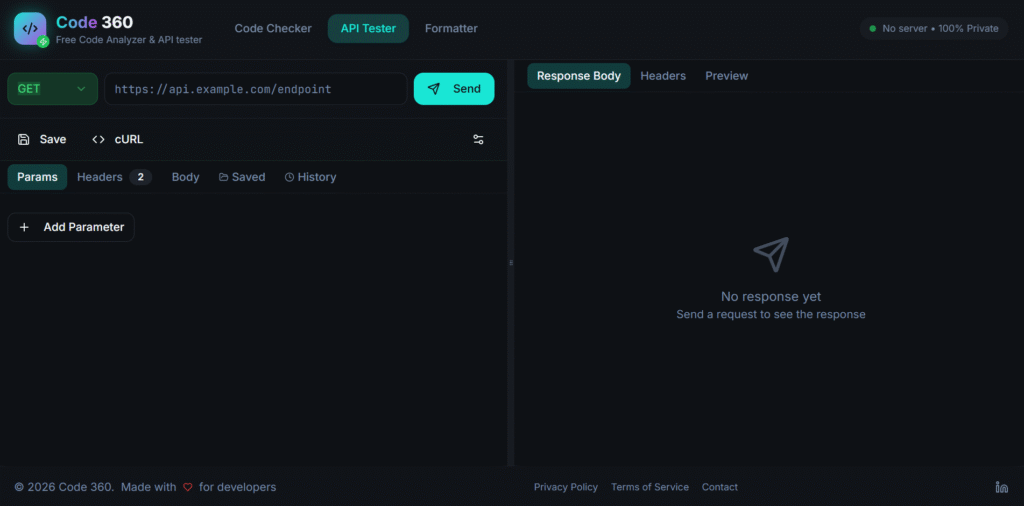
- Test Any Endpoint: Easily trigger GET, POST, PUT, and DELETE requests.
- Custom Headers & Payloads: Set up your authentication tokens and JSON bodies in seconds.
- Instant Feedback: View status codes, response times, and formatted results immediately.
- Perfect for: Testing REST APIs, webhooks, and backend integrations during development.
2. One-Click Code Formatting
Nothing kills productivity like messy code. The Code360 Formatter is your solution for unreadable files.
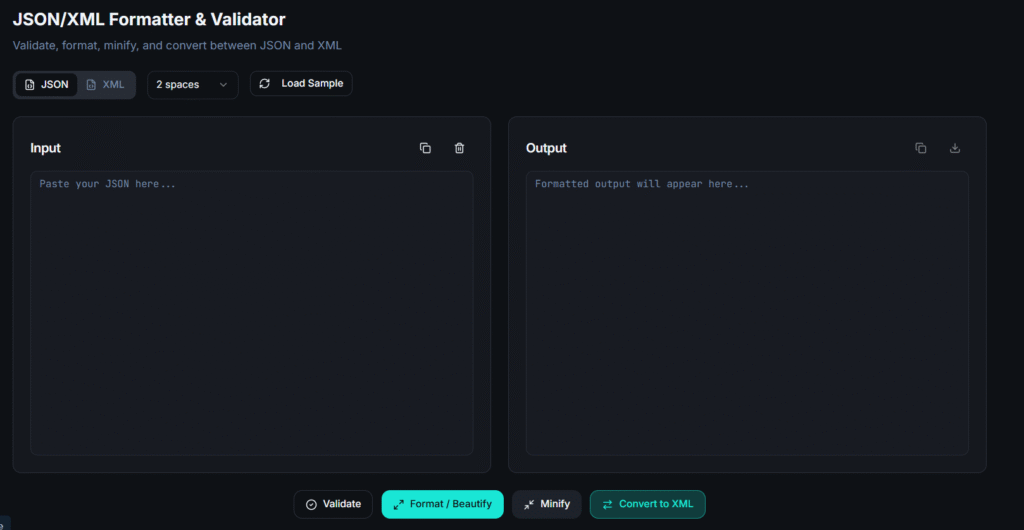
- Prettify Instantly: Turn minified or poorly indented JSON, HTML, CSS, and JavaScript into clean, readable code.
- Syntax Highlighting: Spot errors faster with a clear, color-coded interface.
- Lightweight & Secure: Your code is processed in-browser, ensuring your data remains private.
3. Built for the Community
Code360 isn’t just for senior devs. It’s built for:
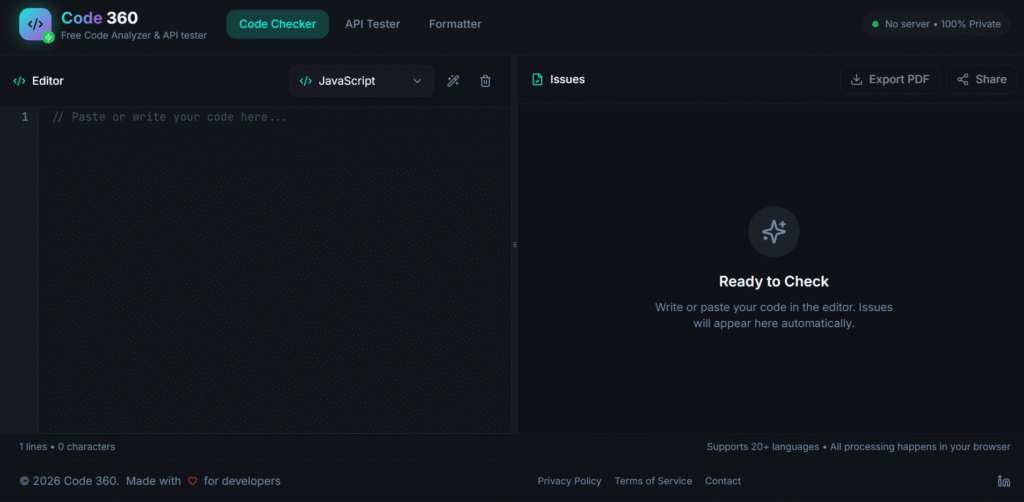
- Students: Learn how APIs work without complex setups.
- QA Engineers: Quickly validate responses without digging through logs.
- Freelancers: A go-to tool for quick fixes and client-side debugging.
more tools here