
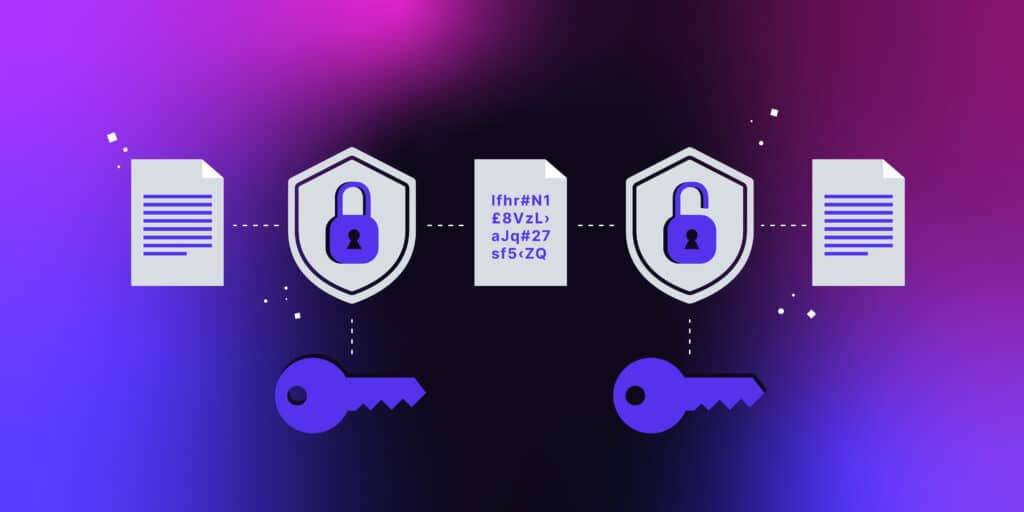
How to Encrypt Your Files for Maximum Security
Lock It Down: The Ultimate Guide to File Encryption
Imagine leaving your front door wide open while you’re away. Sounds like an invitation for trouble, right? Well, that’s exactly what happens when you don’t encrypt your sensitive files—leaving them exposed to cyber threats. In today’s digital world, protecting your data is not a luxury; it’s a necessity. This guide will walk you through everything you need to know about file encryption so you can keep your information safe from prying eyes.
How to Encrypt Your Files for Maximum Security 2025
1. Why Encryption is Your Digital Lock and Key
Encryption is like turning your files into an indecipherable code that only those with the right key can unlock. Whether it’s personal documents, financial records, or confidential business data, encryption ensures that even if hackers get their hands on your files, they can’t read them. According to Cybersecurity Ventures, cybercrime is expected to cost the world $10.5 trillion annually by 2025. That’s a big reason to start locking down your files today!
Pro Tip: Use encryption software with AES-256 encryption, which is considered virtually unbreakable.

2. Types of File Encryption: Which One is Right for You?
Not all encryption methods are created equal. Here are the most common types:
- Symmetric Encryption: Uses a single key to encrypt and decrypt files. Fast and efficient but requires secure key sharing.
- Asymmetric Encryption: Uses a public key for encryption and a private key for decryption, adding an extra layer of security.
- End-to-End Encryption (E2EE): Ensures that only the sender and receiver can access the data, commonly used in messaging apps.
Pro Tip: For personal use, symmetric encryption tools like VeraCrypt work well. For business, asymmetric encryption (e.g., PGP) offers stronger protection.
3. Best Tools for Encrypting Your Files
The good news? You don’t need to be a tech wizard to encrypt your files. Some of the best tools include:
- BitLocker (Windows): Built-in full-disk encryption for Windows users.
- FileVault (Mac): Apple’s built-in encryption tool for macOS.
- VeraCrypt: Free, open-source encryption software for advanced security.
- 7-Zip: A simple tool that allows you to password-protect and encrypt compressed files.
- AxCrypt: A user-friendly option ideal for encrypting individual files.
Pro Tip: Always use strong, unique passwords when setting up encryption—avoid common words and opt for passphrases instead.
4. How to Encrypt Your Files Step by Step
Here’s a simple guide to encrypting your files using VeraCrypt:
- Download and Install VeraCrypt – It’s free and open-source.
- Create an Encrypted Volume – Choose the file or folder you want to encrypt.
- Select an Encryption Algorithm – AES-256 is highly recommended.
- Set a Strong Password – The longer, the better.
- Mount and Access the Encrypted Volume – Only accessible with the correct password.
Pro Tip: Store your encryption key or password in a secure password manager to prevent loss.
5. Common Mistakes to Avoid When Encrypting Files
Even with encryption, mistakes can leave you vulnerable. Avoid these pitfalls:
- Using Weak Passwords – A strong password is your first line of defense.
- Not Backing Up Encrypted Files – If you forget your password, your data is gone forever.
- Sharing Keys Carelessly – Only trusted individuals should have access.
- Ignoring Updates – Outdated software can have vulnerabilities.
Pro Tip: Use multi-factor authentication (MFA) for an added layer of security.
6. Cloud Encryption: Protecting Files Online
Storing files in the cloud? Make sure they’re encrypted before uploading. Some of the best cloud encryption services include:
- NordLocker – Zero-knowledge encryption for cloud storage.
- Cryptomator – Open-source, client-side encryption.
- pCloud Crypto – Secure cloud storage with built-in encryption.
Pro Tip: Avoid storing sensitive files in cloud services that do not offer encryption by default.
to create your own cloud softwares click here.
7. The Future of File Encryption: What’s Next?
With quantum computing on the horizon, encryption methods are evolving. Quantum-safe encryption algorithms are being developed to withstand future cyber threats. Stay ahead by keeping your encryption tools updated and following cybersecurity trends.
Pro Tip: Regularly review your security settings and update encryption software to stay ahead of new threats.
Final Thoughts: Stay Secure, Stay Smart
Encrypting your files is one of the smartest moves you can make in today’s digital world. From choosing the right encryption method to using the best tools available, taking these steps will help safeguard your sensitive information. Cybersecurity expert Bruce Schneier once said, “Encryption works. Properly implemented strong crypto systems are one of the few things that you can rely on.” So, don’t wait—lock down your files and take control of your data security today!
to more updates related to security click here.