
32 Bit aur 64 Bit Kya hai?
Usually apne computer purchase karte time, computer processor ke bare mein, windows operating system install karte time, ya phir software install karte time in dono terms ke bare me suna hoga 32 Bit / 64 Bit.
KB, MB, GB.
32 Bit aur 64 Bit Kya Hai? Pura Samajhne Ka Aasaan Tarika!
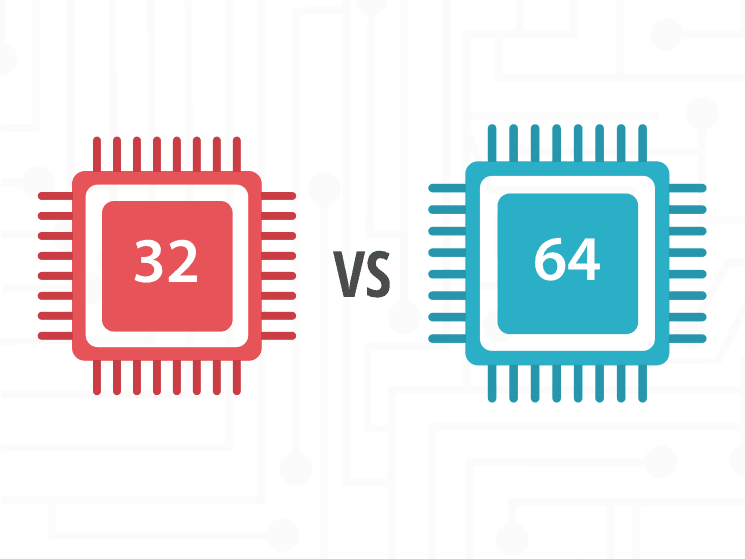
Agar aap naye laptop ya PC lene ja rahe hain ya phir kisi software ko install karte waqt “32-bit aur 64-bit” ka option dekh rahe hain, to ye samajhna zaroori hai ki ye kya hota hai aur iska aapke computer performance, gaming, aur multitasking par kya impact padta hai. Aaj hum ekdum simple aur aasaan bhaasha mein jaanenge ki 32-bit aur 64-bit kya hai, inme kya farak hai, aur kaunsa aapke liye best hai.
32 Bit aur 64 Bit Ka Matlab Kya Hai?
Sabse pehle, “bit” ka matlab samajhna zaroori hai. Bit ek computer processor ka sabse chhota data unit hota hai. Jab hum 32-bit ya 64-bit ki baat karte hain, to hum CPU architecture aur data processing capacity ki baat kar rahe hote hain.
- 32-bit processor ek baar me 2^32 (yaani 4,294,967,296) values handle kar sakta hai.
- 64-bit processor ek baar me 2^64 (yaani 18 quintillion se bhi zyada values) handle kar sakta hai.
Iska seedha matlab ye hai ki 64-bit processor zyada powerful hota hai aur high-performance tasks ko efficiently handle kar sakta hai.
32 Bit aur 64 Bit Ke Beech Ka Farak
| Feature | 32-Bit | 64-Bit |
|---|---|---|
| RAM Support | Maximum 4GB tak | 16 Exabytes tak |
| Processing Speed | Kam Speed | High Speed |
| Software Compatibility | Sirf 32-bit software support karta hai | 32-bit aur 64-bit dono support karta hai |
| Performance | Multi-tasking me kam speed | Zyada smooth aur fast |
| Gaming & Video Editing | Kam compatibility | High-end gaming aur editing ke liye best |
Jab bhi aap Windows OS, Linux OS, ya koi software application install karte hain, to aapko 32-bit ya 64-bit version ka option diya jata hai. Agar aapka system 64-bit hai, to hamesha 64-bit software use karein kyunki ye better system performance dega.
Kaunsa Best Hai – 32 Bit Ya 64 Bit?
Ab sawal aata hai ki kaunsa processor lena chahiye? Agar aap naye laptop, PC, ya gaming computer ka plan bana rahe hain, to bina soche 64-bit processor wala system lein. Aaj kal almost saare naye computers 64-bit architecture par hi based hote hain. Gaming, video editing, heavy software usage ya high-performance tasks ke liye 64-bit best hai.
Lekin agar aap ek purana system use kar rahe hain jo sirf 32-bit support karta hai, to aapko 64-bit OS install nahi karna chahiye kyunki wo compatible nahi hoga.
🔗 Latest 64-bit Software Download Karein
Kaise Pata Karein Ki Aapka System 32-Bit Hai Ya 64-Bit?
Agar aap Windows user hain aur jaana chahte hain ki aapka system architecture 32-bit hai ya 64-bit, to ye steps follow karein:
- Windows + R dabayein aur “dxdiag” likhkar Enter karein.
- “System Information” me jaakar System Type check karein.
- Agar waha x64-based processor likha hai, to aapka system 64-bit hai.
- Agar waha x86-based processor likha hai, to aapka system 32-bit hai.
To make your own software, click here.
Software Compatibility – 32 Bit Ya 64 Bit?
Ek aur important cheez jo aapko dhyan me rakhni chahiye wo hai software compatibility.
- 32-bit OS sirf 32-bit software hi chala sakta hai.
- 64-bit OS me aap 32-bit aur 64-bit dono tarah ke software chala sakte hain.
Agar aap naye Windows software, video editing tools, ya PC games download kar rahe hain aur aapka system 64-bit hai, to hamesha 64-bit version download karein taaki aapko better speed aur smooth experience mile.
Kya 32 Bit Wale System Ko 64 Bit Mein Upgrade Kiya Ja Sakta Hai?
Bohot log ye sawal poochte hain ki kya ek 32-bit system ko 64-bit mein upgrade kiya ja sakta hai. Iska jawab hai haan, lekin sirf tab jab aapka hardware 64-bit ko support karta ho.
Agar aapka processor aur motherboard 64-bit architecture ko support nahi karta, to aapko naya hardware lena padega. Agar support karta hai, to aapko Windows OS ya macOS ka 64-bit version install karna hoga.
Kya 64 Bit Wale System Me 32 Bit Ka OS Install Kar Sakte Hain?
Technically haan, lekin ye recommend nahi kiya jata. Agar aapka system 64-bit hai, to 64-bit OS install karna hi best rahega. 32-bit OS install karne se aap full RAM aur processing power ka use nahi kar paayenge, jo system performance ko affect karega.
Conclusion – Kya Karna Chahiye?
Agar aap ek naye PC ya laptop lene ki soch rahe hain, to bina soche 64-bit system hi lein. 64-bit processor aaj ki computing needs ke liye perfect hai aur ye future-proof bhi hota hai. Agar aapka system 32-bit hai aur aap naye software ya OS upgrade karna chahte hain, to better hoga ki aap naye hardware me invest karein.
High-Performance Computing Ke Liye Best Kya Hai?
Agar aap gaming PC, video editing system, ya AI & Machine Learning applications ke liye best setup chahte hain, to hamesha 64-bit processor aur 16GB ya usse zyada RAM wala system prefer karein. Ye aapko seamless experience aur best speed dega.
Umeed hai ki ye guide aapko samajhne me madad karegi! Agar aapke koi questions hain, to comment me zaroor bataiye. 😊